 Install with Obtainium
Your shelves, on screen.
Choose your Discogs folders and browse by artist or album. Search by artist, title, label, or genre to find the record you have in mind.
 Cogsworth
A companion for your record collection
A display, search, and multi-collection management app for Android devices.
Less deciding. More listening. Cogsworth brings your Discogs collection to your Android device, right beside the turntable.
Made for Android · Requires Android 8.0 or newer · Connected to Discogs
Choose your Discogs folders and browse by artist or album. Search by artist, title, label, or genre to find the record you have in mind.
Can’t decide what to play? Pick a random album from your selected collection and give a forgotten favourite another spin.
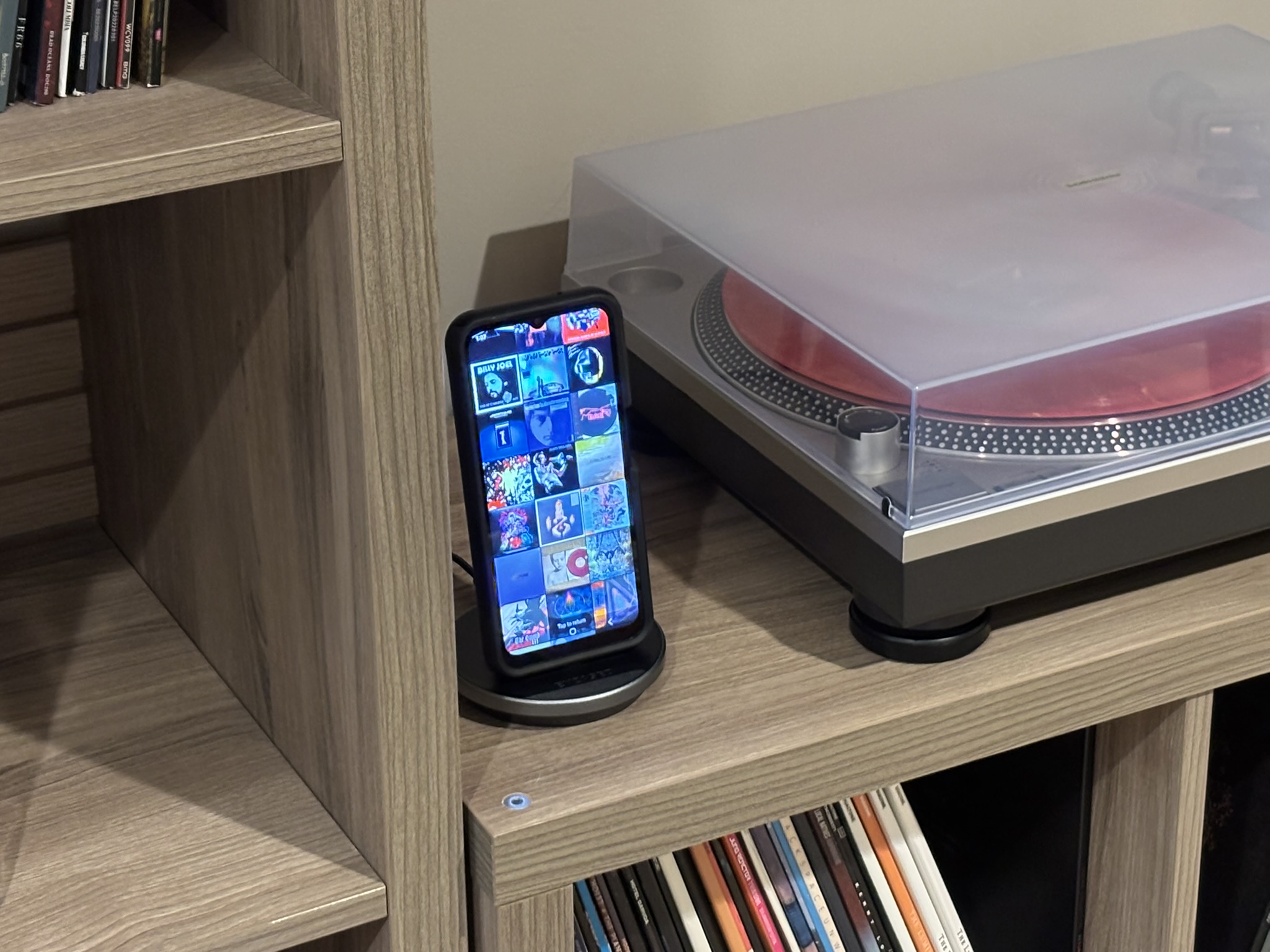
Leave Cogsworth beside your turntable. After a minute of inactivity, a scrolling mosaic of your album covers takes over the screen.
Use multiple collections to keep track of the physical location of certain records? Select one or several collections to limit what you search on the current session. Easily move one or multiple records between collections.
Version 1.0.0
For update notifications, users of Obtainium can add Cogsworth directly or add the repository URL manually.
A closer look
From finding an old favourite
to seeing your collection in a new light.
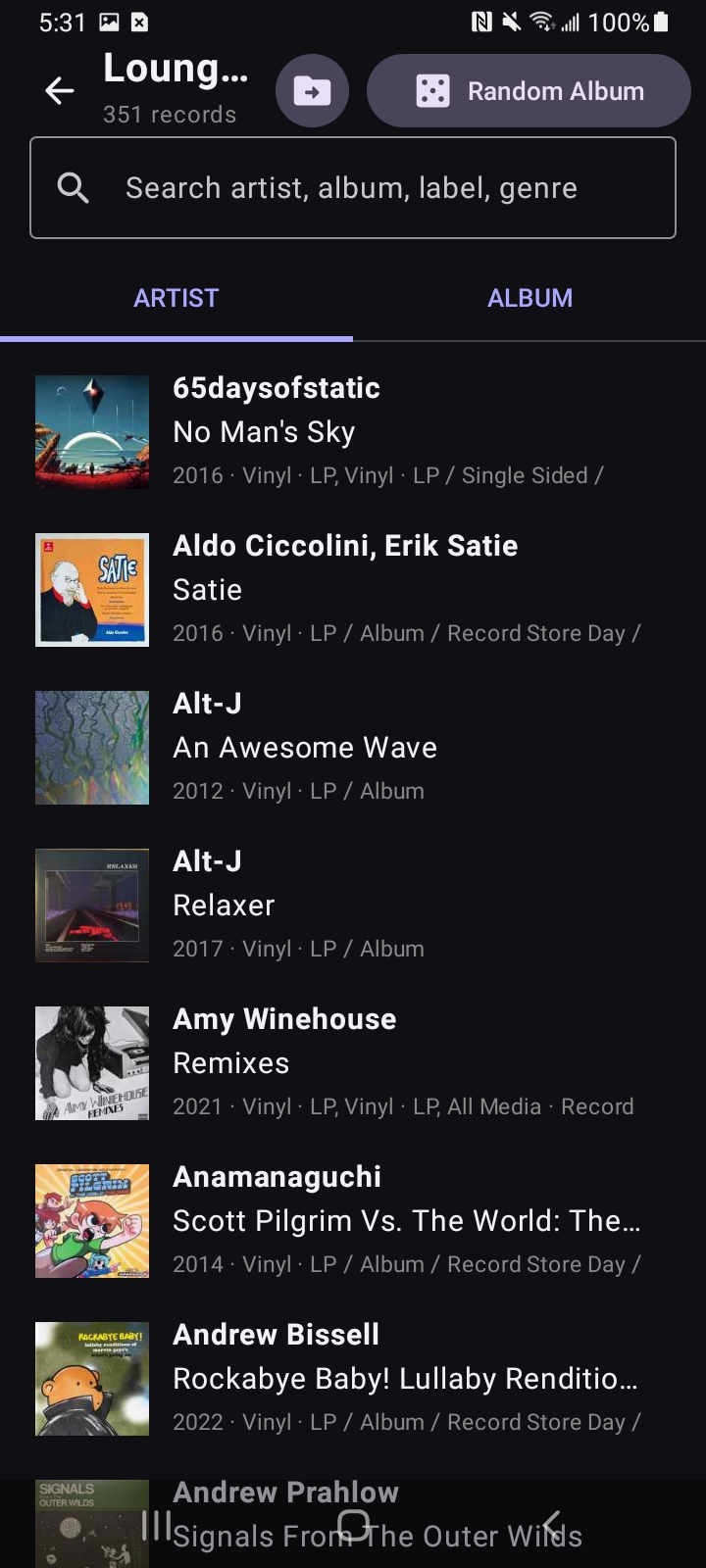
Your records, ready to explore. Choose from one or more of your collections in Discogs to list just those albums for discovery.
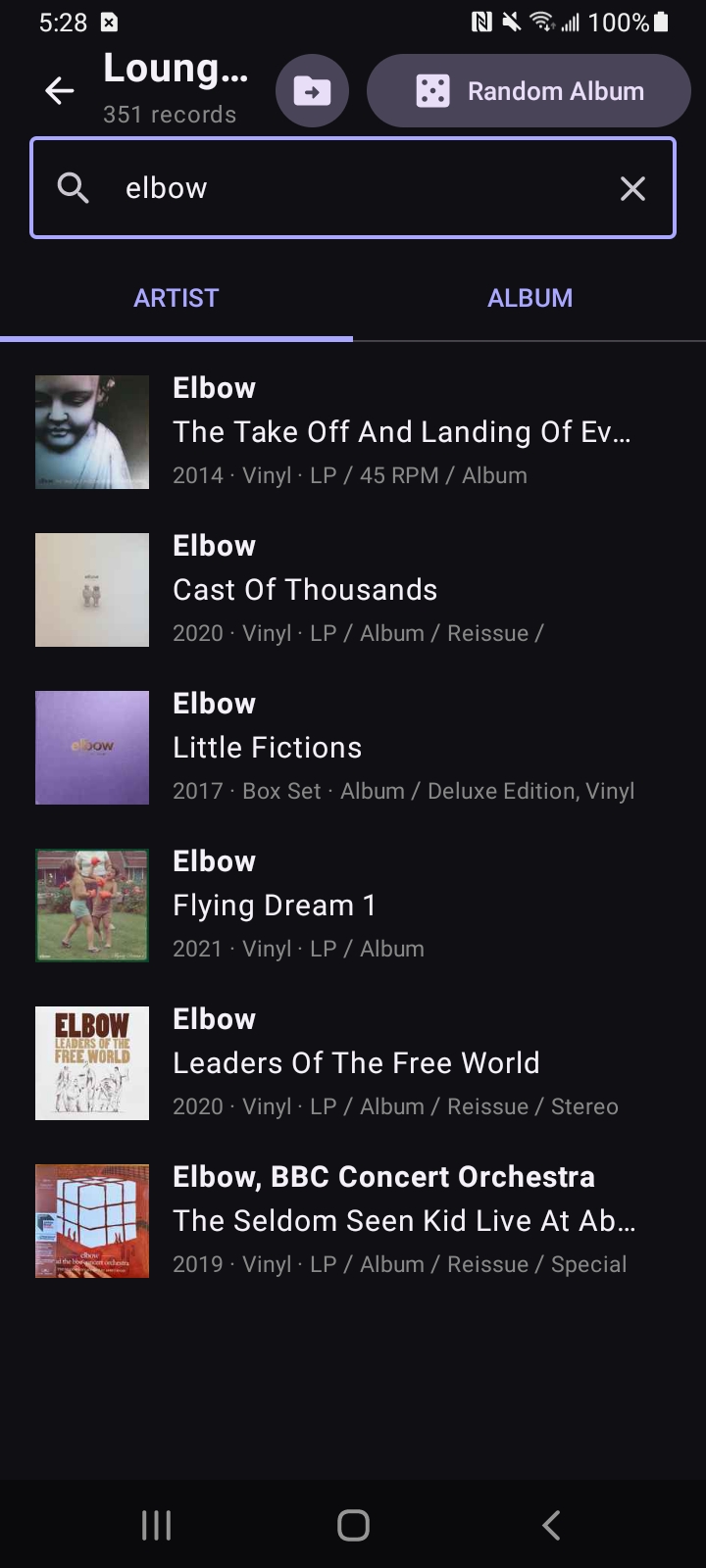
A quick search helps you (or your guests) find the right record without needing to dig through the crate.
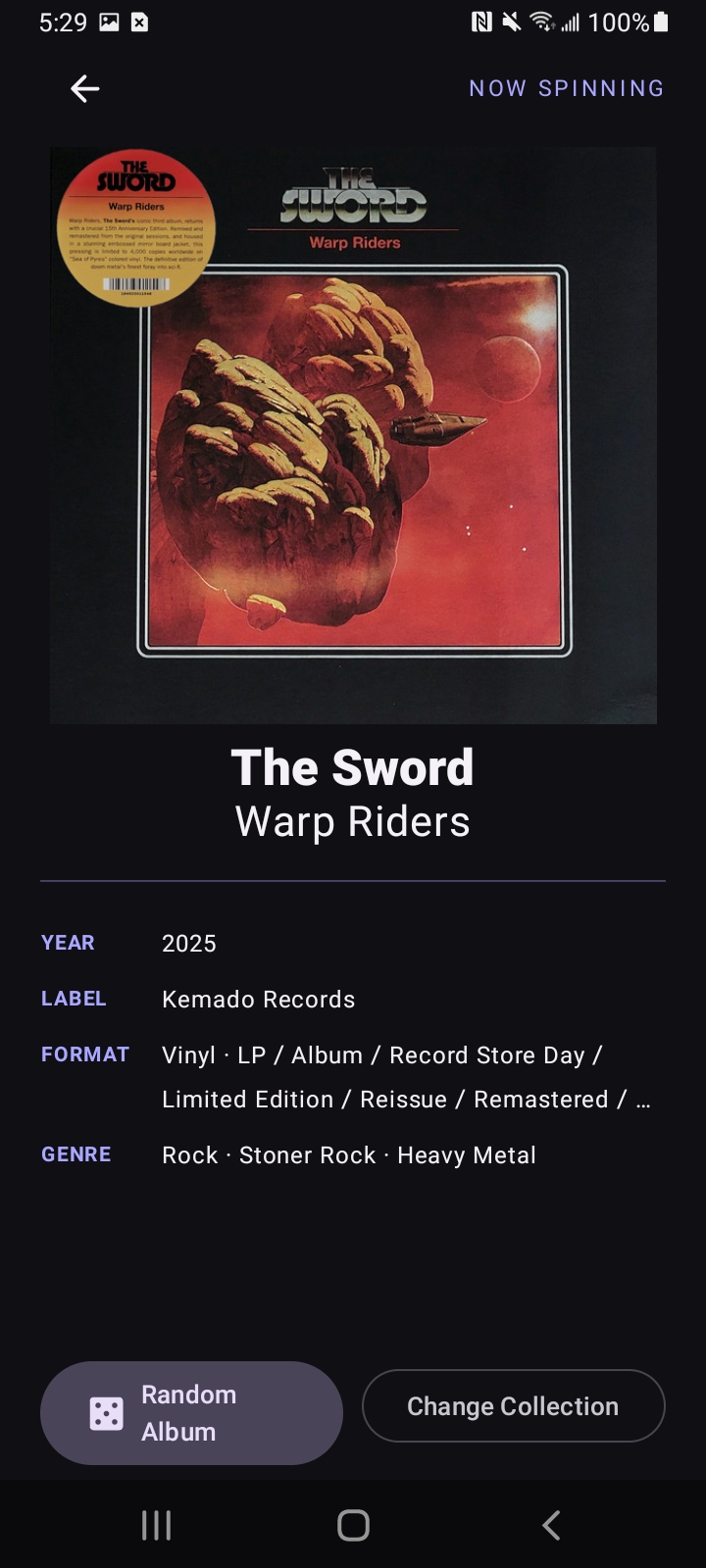
The artwork and details, up front. A Random Album button lets fate take the proverbial aux cord and choose which record from your collection to reach for. Not satisfied? Keep tapping the button until you get something fresh!
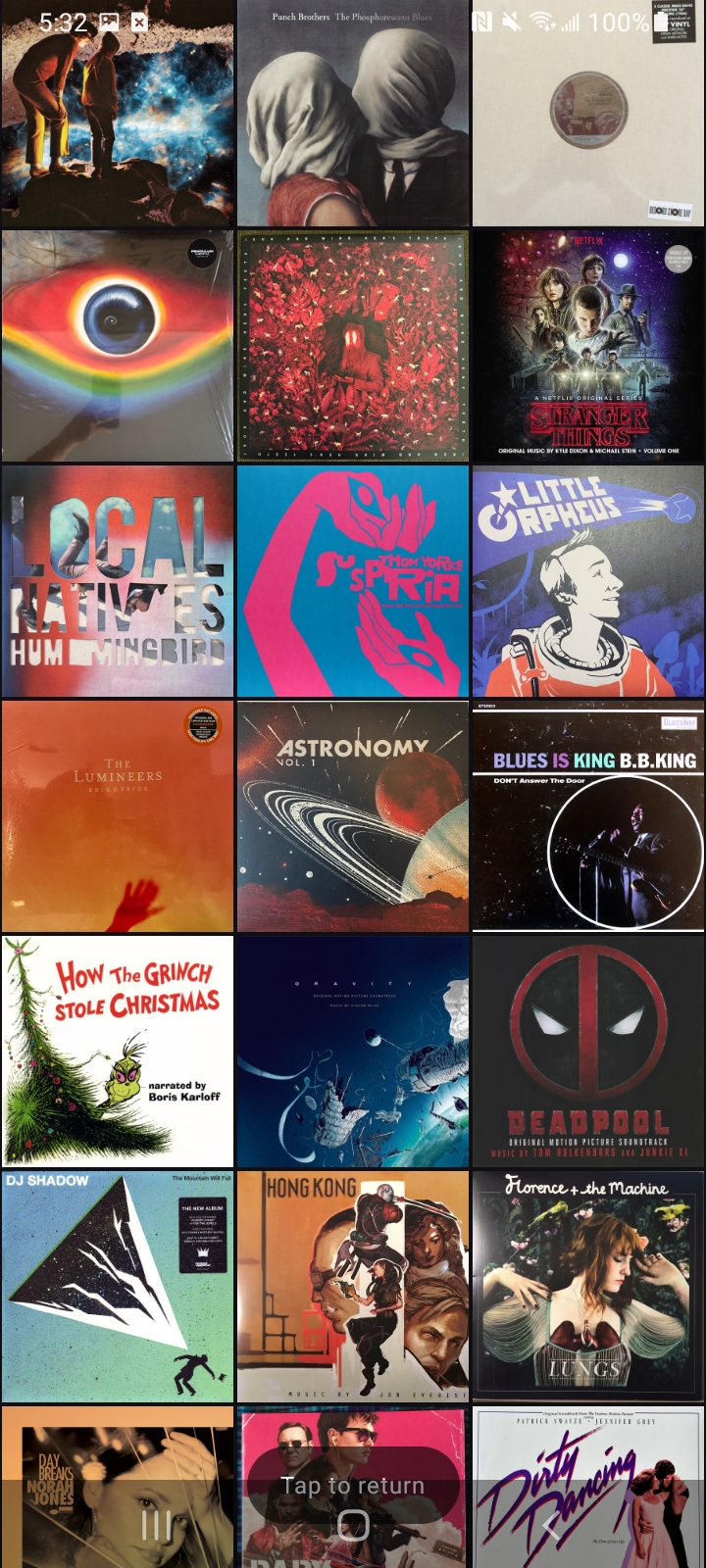
Your collection becomes a display. After 60 seconds of idle time, a scrolling display of your collections' album covers makes the app beautiful as well as functional.
First-run setup
Cogsworth connects directly to Discogs using your Discogs username and a personal access token. You only need to enter these once.
Cogsworth does not display Discogs’ automatically generated “All” folder. Your token is encrypted on your Android device using Android Keystore.
Privacy
Cogsworth sends your Discogs username, personal access token, and collection requests directly to Discogs so it can display and organize your collection. Album artwork is loaded from the image addresses supplied by Discogs.
Cogsworth has no developer-operated server and includes no advertising or analytics. It does not send your credentials, collection, or app activity to the Cogsworth developer or to any independent third party. Your username and encrypted token remain on your device until you clear them or remove the app.
This privacy policy applies to the Cogsworth Android app. Discogs processes information according to its own privacy policy.
Built for the listening room
Cogsworth connects persistently using your Discogs username and personal access token. Explore the Android app and setup instructions on GitHub.
Explore on GitHub